


Garden AI - Landscape Design
4.4145.00 Reviews
App Specs
- Version
- 1.1.42
- Updated On
- License
- Free
- Downloads
- 100,000+
- Developer
- FATE YAZILIM VE TEKNOLOJI LIMITED SIRKETI
- Categories
- Art & Design
- Platform
- Android
Screenshots
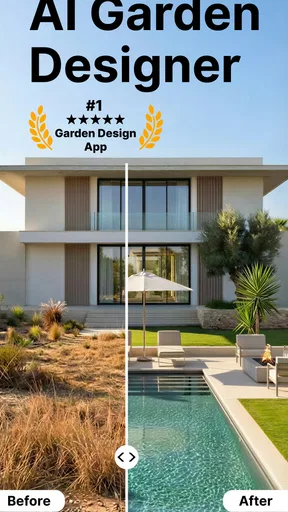
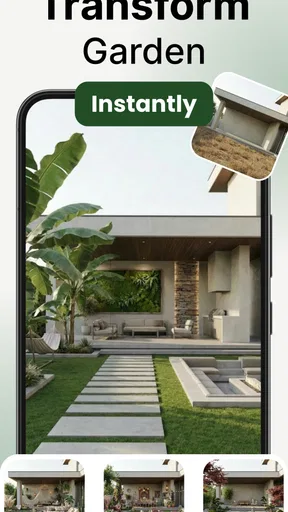
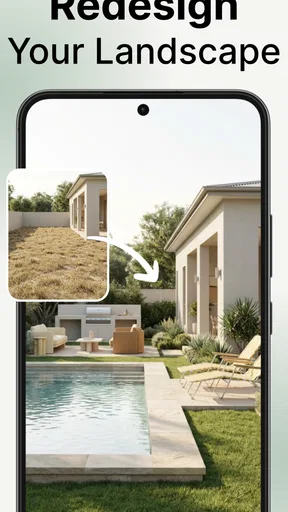
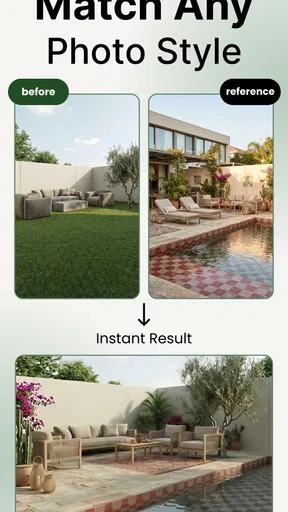
 Analysis by AppCompare
I’d treat Garden AI as a place to explore possibilities, not as a substitute for a landscape professional or a guarantee that a proposed planting will thrive. Its appeal is that it brings AI-assisted garden ideas into an art-and-design app, giving a first-time user a low-pressure way to think about an outdoor space before buying plants or moving anything. The useful question isn’t whether an image looks impressive; it’s whether the suggestion gives you a direction you can adapt to your actual yard.
What to expect from a garden design app
Garden AI - Landscape Design is a free app from FATE YAZILIM VE TEKNOLOJI LIMITED SIRKETI. It has a 4.6 average from around 7,200 ratings, and more than 100,000 installs. It is rated for Everyone, was released on February 15, 2025, and version 1.1.5 requires Android 7.0 or later. Optional in-app purchases range from $3.99 to $39.99 per item, so I’d try the free experience first and check what a paid item offers before committing.
The basic idea is approachable: use a photo of the space as a starting point, then consider generated design suggestions as visual prompts. That can help when you know a yard feels unfinished but don’t yet know whether you want a seating area, a more structured planting scheme, or a softer, greener look. I would not assume that a visual mock-up settles practical questions such as drainage, soil, sunlight, mature plant size, or local growing conditions. Those still need your judgement.
Compared with sketching on paper, the app’s advantage is speed and the possibility of seeing a concept in the context of your own garden. Compared with general-purpose image tools, its focus is outdoor design rather than an open-ended picture prompt. A dedicated landscape designer remains the better choice for a complex renovation, construction decisions, or a property where mistakes could be expensive. I see this app as most useful in the middle ground: an idea generator for people who want to make their own decisions with a clearer visual starting point.
Make the first photo useful
Before opening the camera, take a minute to decide what you want the image to help you solve. A photo of the entire yard can be good for an overall mood, while a closer view of one neglected corner can make it easier to focus on a specific project. If possible, keep the view clear enough that the app can distinguish the ground, existing plants, and fixed features. A tidy, well-lit picture is a more useful starting point than a dramatic angle that hides half the space.
For a first attempt, I’d choose one manageable goal rather than asking for a complete transformation. For example, focus on the strip beside a fence or the patch near a patio. That gives you a concept you can judge: does it leave enough room to walk, does it work around what is already there, and does its overall style suit the house? If the result is not convincing, try another photo or rethink the brief before treating the design as a plan.
Keep a note of what the image cannot show. A photograph may not make changes in elevation, soggy ground, a neighbour’s shade, or the route you use to carry bins obvious. I’d write down those constraints before browsing ideas, then use them as a reality check. This small step helps prevent a polished visual from distracting you from the practical reason a part of the yard has remained unused.
Worth Reading Before You Choose

EA SPORTS FC Mobile 26 Is a Bigger Football Game, but It Takes Time

Flipboard Shows What News Apps Must Do Beyond the Feed

Switching to Android Auto Means Rethinking Your Driving Routine

Google Calendar Makes a Crowded Week Easier to Manage

Ludo King Makes the Most of the Minutes Between Plans

Baby Panda World Brings Quick Play to Modern Phones, but Its Game Library Feels Busy
Turn a suggestion into a decision
A realistic first win is not finishing the garden in one sitting. It is coming away with one choice you can act on, such as a preferred layout, a clearer planting style, or a list of questions to investigate. I’d compare concepts by asking what each one changes about movement and maintenance, not just which one looks most dramatic. A design that leaves a clear path and preserves the plants you care about may be more useful than a more striking image that ignores both.
For instance, imagine you have a free afternoon and keep noticing an awkward patch outside the kitchen window. Take a photo, use the app to explore a few visual directions, and save the idea that feels closest to your taste. Then step outside and check the view from the window, the amount of sun the patch gets, and whether you can reach it easily with a hose or watering can. That turns browsing into a grounded next step without requiring you to buy anything immediately.
One useful habit is to separate “look” decisions from “plant” decisions. First decide whether you prefer a neat, repeated arrangement or a looser, mixed border. Then research specific plants that suit your location and conditions. An AI-generated picture can help you express the look you want, but it should not be treated as a dependable plant identification or horticultural recommendation unless you verify the details elsewhere.
Where the app fits—and where it doesn’t
This is a good fit if you are new to garden planning, enjoy experimenting visually, or want to discuss a rough concept with someone at home before making changes. It can also help renters or cautious homeowners think through reversible improvements, though you should still check what changes are allowed in your situation. If you already have a precise planting plan, need accurate dimensions, or are planning paving, retaining walls, drainage, or other technical work, a measured drawing and specialist advice are more appropriate tools.
The main trade-off is the gap between an appealing concept and a buildable, maintainable garden. A picture cannot by itself tell you how much work a planting scheme will require, whether a plant is suitable for your soil, or how a layout behaves after rain. Treat the output as a conversation starter. Before spending money, verify plant choices with a trusted gardening source and measure any area where spacing or access matters.
I’d also avoid interpreting a single attractive result as proof that the app has learned your taste or understands the site. When a suggestion misses the mark, it may be the photo, the request, or simply the limits of visual design. Try changing one thing at a time so you can tell whether a different view or a more specific goal improves the result. That is more informative than repeatedly asking for a completely different garden.
Getting Started: First Impressions
So, I downloaded Garden AI - Landscape Design on a lazy Sunday afternoon, expecting to tinker around for a bit. Right off the bat, the app’s sleek interface caught my eye. It's like a breath of fresh air compared to some of the clunky design apps I've dealt with in the past. Navigating through the menus felt intuitive, and I was up and running in no time.
After a quick sign-up, the app prompted me to take a few photos of my garden. This is where the magic begins. Using AI technology, the app analyzes your garden space and offers design suggestions tailored to your landscape. Pretty cool, right?
Features: What’s in the Toolbox?
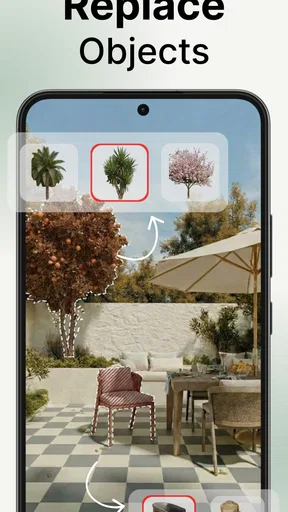
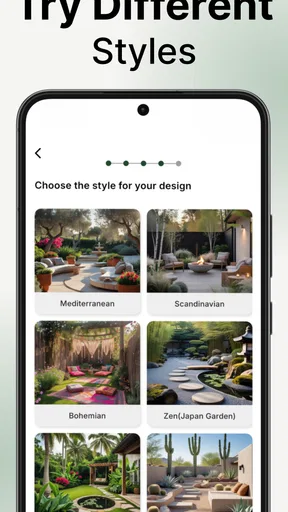
Once the initial analysis was complete, I dove into the app’s extensive library of plants and design elements. Whether you're into minimalist Zen gardens or vibrant flower beds, Garden AI has you covered. You can play around with different layouts and see how various plants would look in your space without getting your hands dirty.
One feature I particularly loved was the seasonal planning tool. The app recommends plants based on the current season and your region's climate, ensuring your garden looks stunning year-round. It even provides tips on plant care, ensuring those green babies thrive.
User Experience: A Walk in the Park
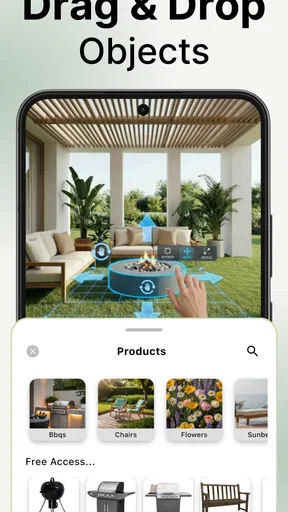
Interacting with the app is as smooth as it gets. The drag-and-drop functionality makes designing feel like a game. You can easily move elements around, adjust sizes, and even simulate growth over time. This gives you a realistic view of what your garden will look like in a few months.
Plus, the app’s AI is constantly learning. The more you use it, the better it gets at suggesting designs that suit your taste and local environment. It feels like having a personal landscape designer in your pocket.
Community and Collaboration
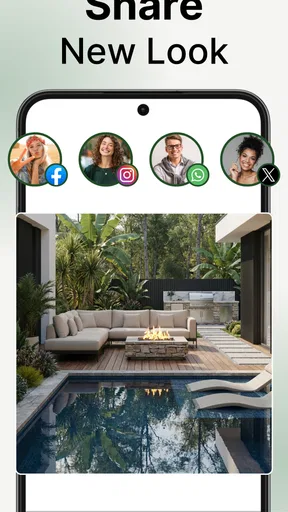
One aspect that really stood out to me was the community feature. You can share your designs with other users, get feedback, and even collaborate on projects. It’s a fantastic way to gain inspiration and learn from fellow gardening enthusiasts.
If you're the kind of person who likes a second opinion, you can invite friends or family to view your designs and give input. It turns gardening into a collaborative and social experience, which I found delightful.
End of Day: Is Garden AI Worth It?
After spending a good chunk of my weekend playing around with Garden AI - Landscape Design, I can honestly say it’s a game-changer for anyone looking to revamp their outdoor space. The app combines sophisticated technology with user-friendly design, making landscape planning accessible to both novices and seasoned gardeners.
If you’ve ever dreamed of transforming your garden but felt overwhelmed by the process, this app might just be your new best friend. It’s a blend of creativity and technology that empowers you to bring your outdoor vision to life. So, are you ready to turn your backyard into a slice of paradise? Give Garden AI - Landscape Design a shot and let your garden flourish!
For me, the best way to use it is to keep the first session small: explore one area, settle on a visual direction, and then check that idea against the real conditions outside. That approach makes the app feel less like a promise of an instant makeover and more like a practical aid for getting unstuck. If you want a fast source of inspiration before doing your own research, it is worth trying; if you need a technically reliable plan, I’d choose a more precise design process instead.
Pros
- Intuitive user interface for easy navigation.
- Wide variety of plant species database.
- Includes AR tools for realistic planning.
- Customizable layouts for personal touch.
- Regular updates with new features.
Cons
- Requires a stable internet connection.
- Limited free features available.
- In-app purchases can be costly.
- Occasional lag in AR rendering.
- No offline mode for remote areas.
FAQs for Garden AI - Landscape Design
What features does Garden AI - Landscape Design offer?
Garden AI - Landscape Design offers features such as AI-powered garden planning, plant identification, and virtual garden visualization. Users can easily design their gardens by inputting their preferences and receiving suggestions tailored to their local climate and soil conditions. The app also provides maintenance tips and plant care reminders.
Is Garden AI - Landscape Design suitable for beginners?
Absolutely! Garden AI - Landscape Design is user-friendly, making it perfect for beginners. The app guides users through each step of the design process with easy-to-understand instructions and intuitive tools. Even those with no prior gardening experience can create beautiful garden layouts with confidence.
Does the app require an internet connection to function?
While Garden AI - Landscape Design can be used offline for basic features, an internet connection is recommended for full functionality. Accessing AI-driven suggestions, plant databases, and real-time updates requires connectivity. However, offline design is possible, allowing users to work on their projects anywhere.
Are there any in-app purchases or subscription fees?
Garden AI - Landscape Design offers a free version with essential features, but also provides in-app purchases and subscription options for premium features. These might include advanced AI designs, exclusive plant collections, and personalized support. Users can choose according to their gardening needs and budget.
How does the app ensure plant suggestions are accurate for my location?
The app uses your location data to provide plant suggestions that are best suited to your area's climate and soil conditions. By leveraging local weather patterns and soil information, Garden AI - Landscape Design ensures that the plants recommended are likely to thrive in your garden environment.


